2026 Edition | Excel Financial Management Spreadsheet
About This Spreadsheet
I have developed this Excel spreadsheet to help farmers and agricultural business owners keep track of their finances, from everyday running costs and incoming payments to business expenditure, profitability and other financial obligations.
The aim is to bring essential financial information together in one organised, easy-to-use workbook, making it easier to understand where money is coming from, where it is going and how those figures affect the overall financial position of a farming business.
The spreadsheet has been designed with simplicity in mind. Rather than requiring users to build their own formulas or perform calculations manually, it uses automated calculations, straightforward data-entry fields and selectable drop-down menus.
In most cases, you simply enter the relevant description, select the appropriate category from a drop-down menu and input the amount received or spent. The spreadsheet then performs the relevant calculations according to its built-in formulas.
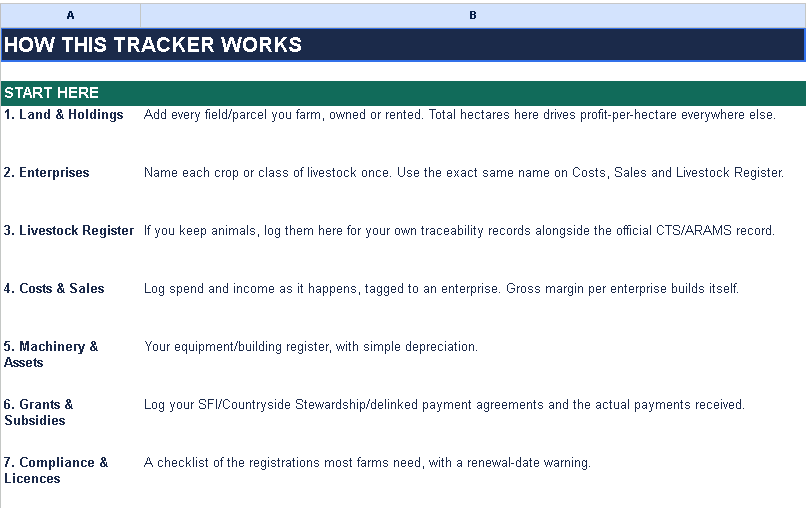
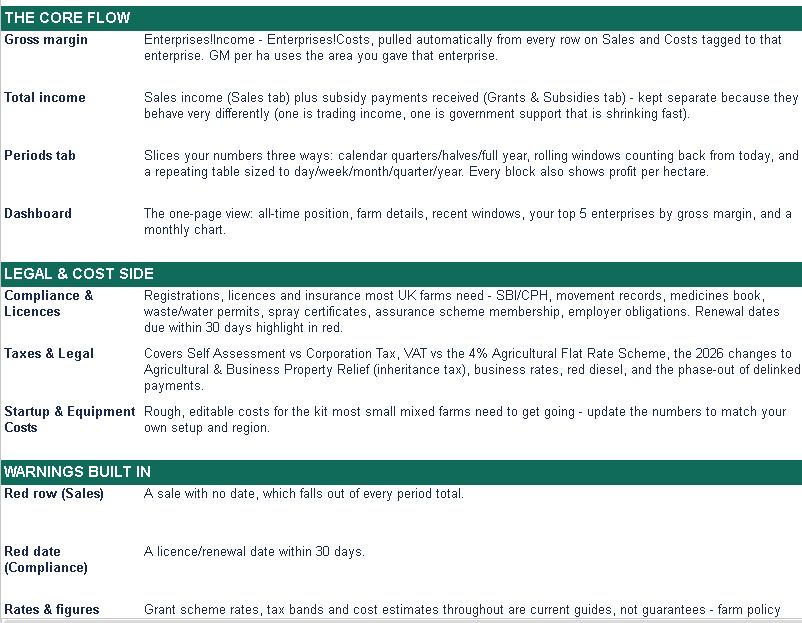
An accompanying README document is provided to explain how to use the workbook, enter information correctly and understand its various sections.
Whether you operate a smallholding, manage a family farm or run a larger agricultural business, the spreadsheet is intended to provide a practical starting point for organising your financial records and gaining a clearer picture of your business's income, expenditure and profitability.
Important Disclaimer: Please Read Before Use
This spreadsheet is an independently developed financial management tool created by me. It is not an official accounting product and has not been independently certified, audited or approved by a qualified accountant, solicitor, tax adviser, financial adviser, government department or regulatory authority.
Although care has been taken in developing the workbook, I cannot guarantee that its formulas, calculations, categories or other features are free from errors or suitable for every farming business or legal jurisdiction.
The spreadsheet is provided for general record-keeping, financial organisation and informational purposes only. It does not constitute accounting, tax, financial or legal advice and should not be treated as a substitute for professional guidance.
Before relying on the spreadsheet for business decisions, tax returns, statutory reporting, regulatory compliance or other financial or legal obligations, please have it reviewed by a suitably qualified accountant, tax adviser or legal professional familiar with your business and the requirements of your jurisdiction.
Users remain responsible for checking the accuracy of their entries, verifying the resulting calculations and ensuring that their records and reporting comply with applicable laws and regulations.
The spreadsheet should not be assumed to satisfy HMRC requirements, Making Tax Digital obligations, VAT rules or any other statutory record-keeping requirements without independent verification.
The accompanying README document should be read in full before using the workbook.
A final note from the creator: This workbook has been developed to make farming finances easier to organise and understand. Feedback, suggestions and reports of any calculation errors are welcome, as they will help improve future editions.
Please retain copies of your original financial records and keep a backup of your completed spreadsheet.
Important: A disclaimer can help explain the intended use and limitations of your spreadsheet, but it cannot guarantee protection against legal claims or exclude liabilities that cannot lawfully be excluded. If you intend to distribute or sell the workbook, have a qualified solicitor review your disclaimer and any accompanying terms of use.
BUT IF YOU DID TAKE THIS SPREAD TO A LEGAL ADVISOR AND THEY TELL YOU WHAT MISSING ON IT AND YOU COME BACK HERE AND POST WHAT YOU FOUND OUT THEN I WILL UPDATE IT.